
Set a target R&D percentage
The Set R&D % feature allows you to quickly assign R&D percentages to multiple expenses at once and automatically distribute them across your qualified R&D projects without having to allocate project by project.
Summary
The Set R&D % feature allows you to quickly assign R&D percentages to multiple expenses at once and automatically distribute them across your qualified R&D projects without having to allocate project by project.
Use this for: Allocating R&D for expenses when there is not clear way to allocate by project. The main use case is to allocate non-employee expenses like Cloud, Contractors that don’t have a clear allocation by project.
The system will apply the R&D % proportionally to qualified projects based on each project’s share of current employee qualified expenses, saving you from manual project-by-project allocation.
How it Works
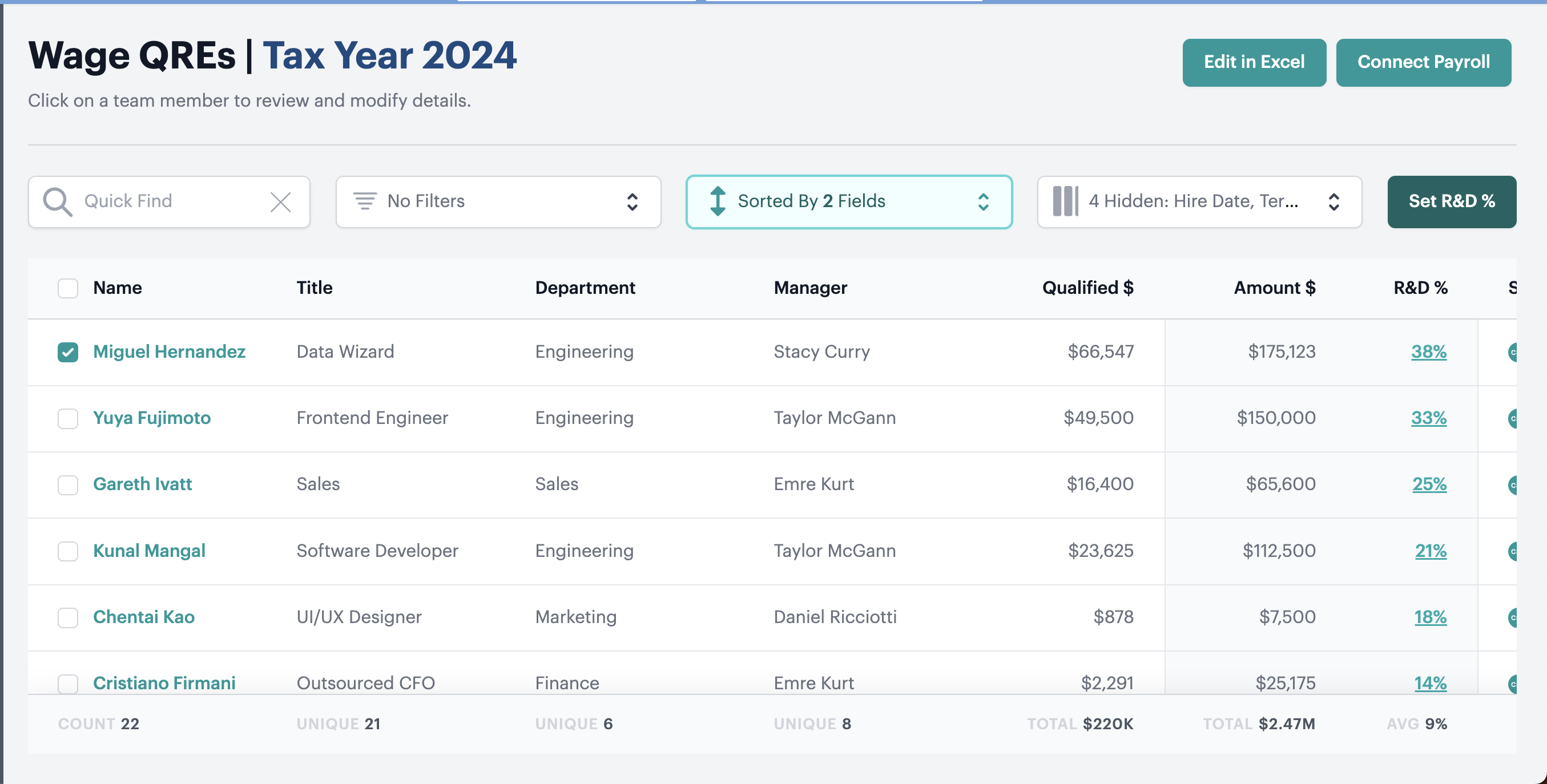
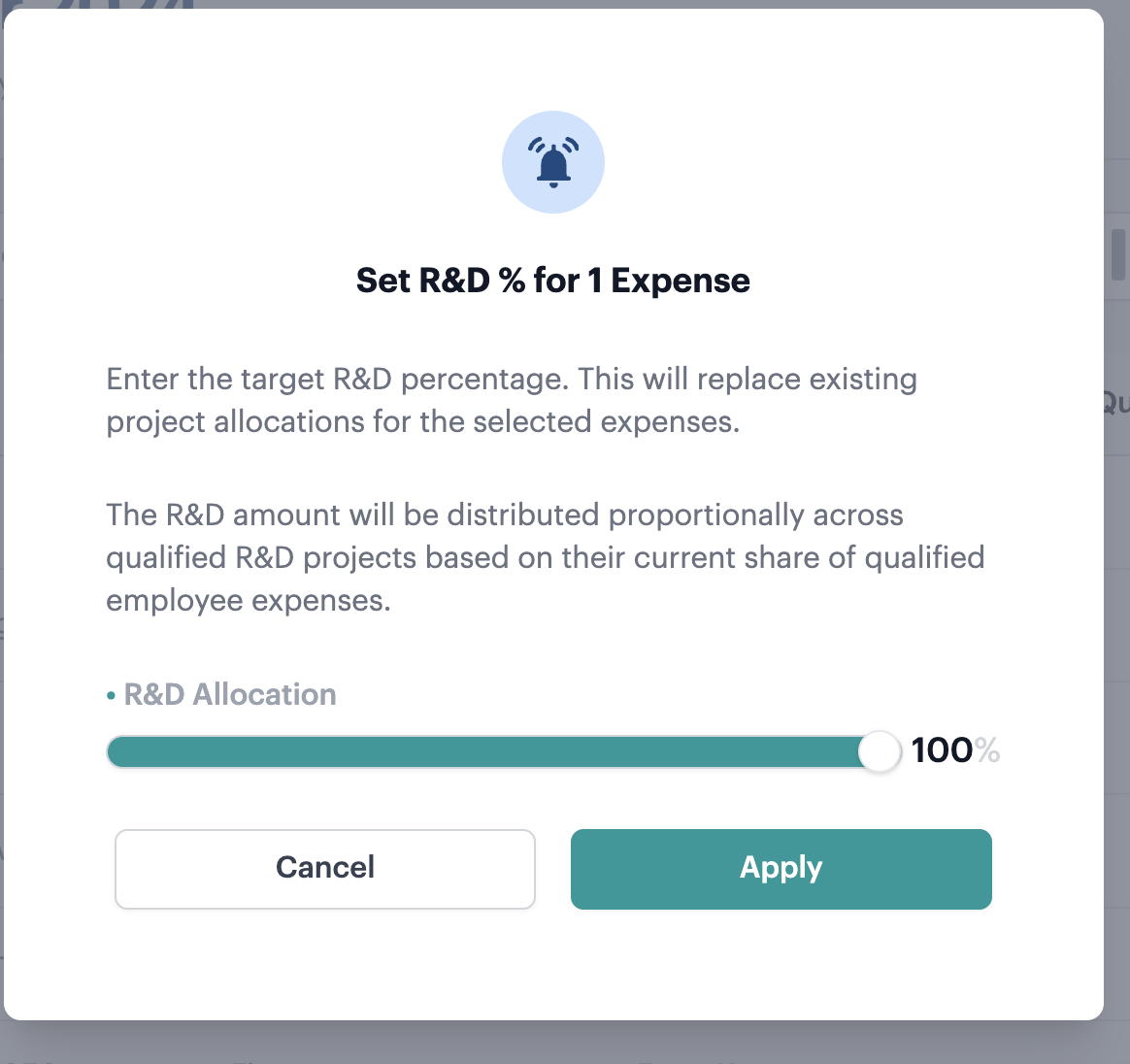
How It Works in Detail
Accessing the Feature
- Navigate to either the Other QREs or Wage QREs page
- Select one or more R&D expenses by checking the boxes next to them
- Click the Set R&D% button that appears above the right hand side of the table
- The “Set R&D % for [X] Expense(s)” modal will open
Setting Your R&D Percentage
In the modal, you can set your desired R&D percentage (0-100%) either by:
- Using the slider for quick adjustments
Automatic Project Distribution
When you apply the R&D percentage, Neo.Tax automatically distributes it across your qualified R&D projects using this calculation:
Project Allocation = Your R&D % × Project Weight
Where Project Weight = (Project’s Employee Qualified Expenses ÷ Total Employee Qualified Expenses)
Example: If you set 80% R&D and Project A represents 43% of total employee qualified expenses, Project A will receive 34% allocation (80% × 43% = 34%)
What Gets Replaced
This feature replaces any existing project allocations for the selected expenses. Your previous manual allocations will be overwritten with the new proportional distribution.
FAQ
Q: What happens if I don’t have any qualified R&D projects set up?
A: You’ll see an error message explaining that qualified R&D projects must be configured before using this feature. Set up your R&D projects first, then return to bulk edit your expenses.
Q: What if my total employee qualified expenses are $0?
A: The system will show an error explaining that project weights cannot be calculated without employee qualified expense data. Ensure you have employee expenses allocated to your R&D projects before using this feature.
Q: How precise are the project allocation percentages?
A: The system calculates precise percentages to the nearest whole number for display. The underlying calculations maintain accuracy for your R&D credit calculations.
Q: Will this work with a large number of R&D projects?
A: Yes, the feature is designed to handle companies with any number of R&D projects efficiently. All qualified projects will receive proportional allocations based on their employee expense weights.