
Lock a period
Admins can lock an accounting period to freeze it while it's under review or after it's been finalized.
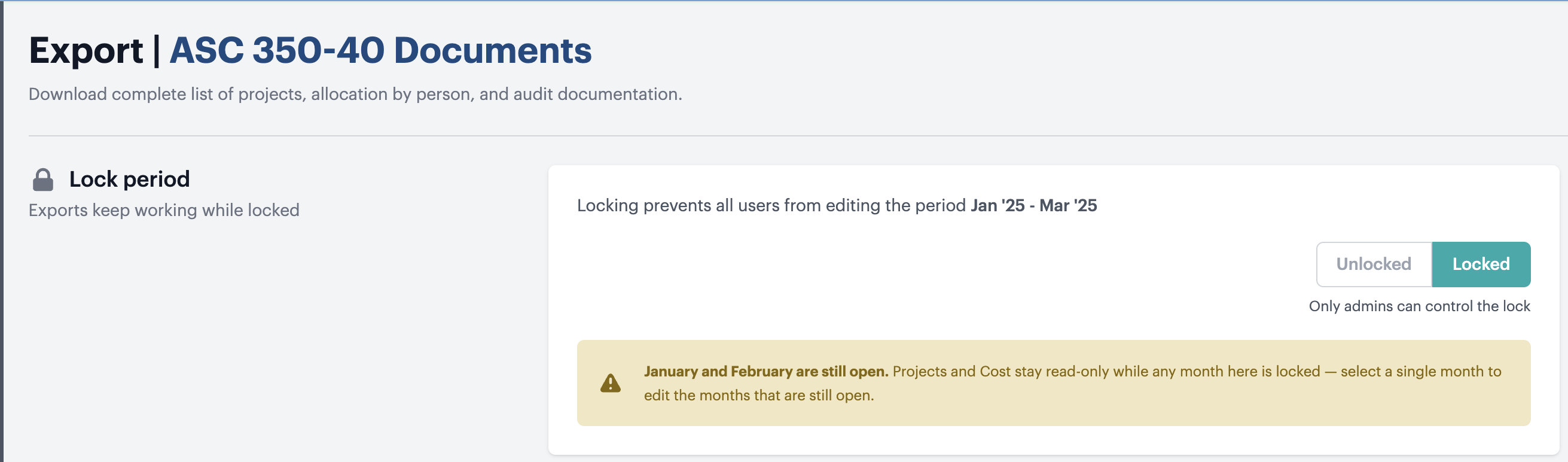
Locking a period (Admin Period lock)
Admins can lock an accounting period to freeze it while it’s under review or after it’s been finalized. Locking a period prevents everyone at your company from editing it, so your numbers can’t change out from under a review.
This is separate from the automatic locking of the ticketing system data. Automatic locking freezes historical ticket data as it was synced. The period lock is an additional deliberate action an admin can take to freeze user-edits of a period.
To lock a period
- Go to the ASC 350-40 → Documents page.
- Select the period you want to lock.
- In the Lock period card, choose Locked.
- Confirm in the dialog. The lock takes effect immediately.
What happens when a period is locked
- The Projects and ASC 350-40 Cost pages become read-only for the locked period, for all users.
- Document generation and exports keep working — you can still produce your ASC 350-40 documents from a locked period.
- Only an admin can unlock the period. Unlocking takes effect immediately and restores editing.
Locking and multi-month periods
Locks are tracked per month. If you’re viewing a quarter, half-year, or full year, that period shows as Locked whenever any month inside it is locked. To edit a month that’s still open, select that single month. A note on the card tells you which months in the current period are still open.
Only admins can control the lock.