
Anonymize payroll data
Hide salary data from non-financial users by setting each user's role level.
Anonymizing financial data in payroll data (ex. for engineering managers)
-
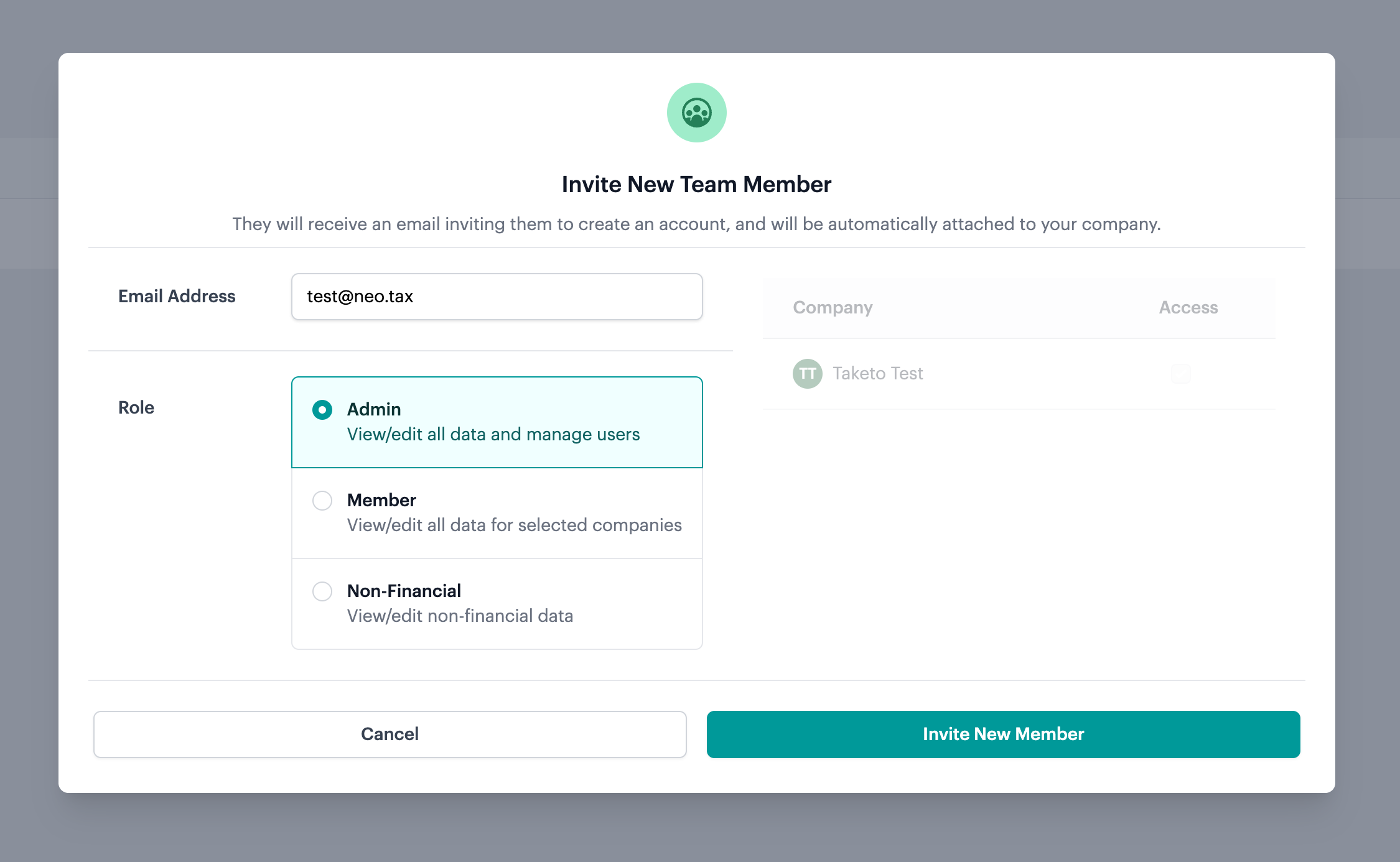
Select the role level.
- Admin: view/edit all data and manage users (add + remove).
- Member: view/edit all data from specific companies.
- Non-Financial: anonymizes all financial data such as wages and stock based compensation.
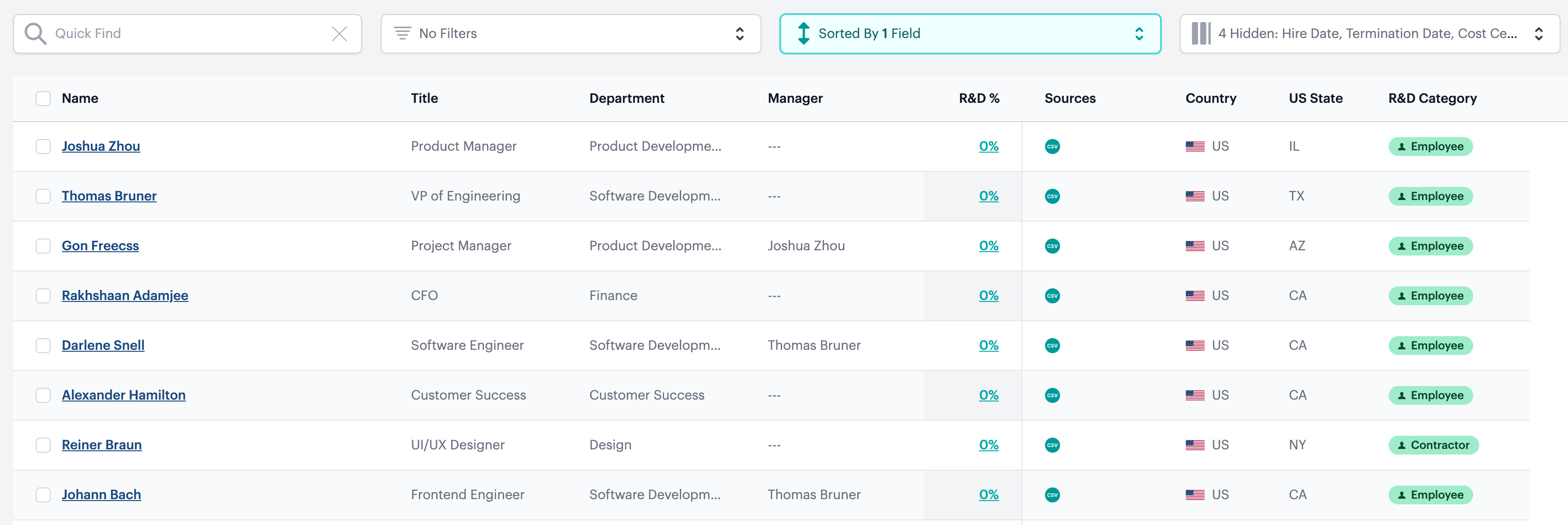
Above, a non-financial user view is shown where financial data has been redacted.
Anonymizing names in payroll data for all members in the company, including admins
-
Request for complete data anonymization from Neo.Tax via email prior to uploading the data.
-
NeoTax will configure this setting for you.
-
Upload payroll.
-
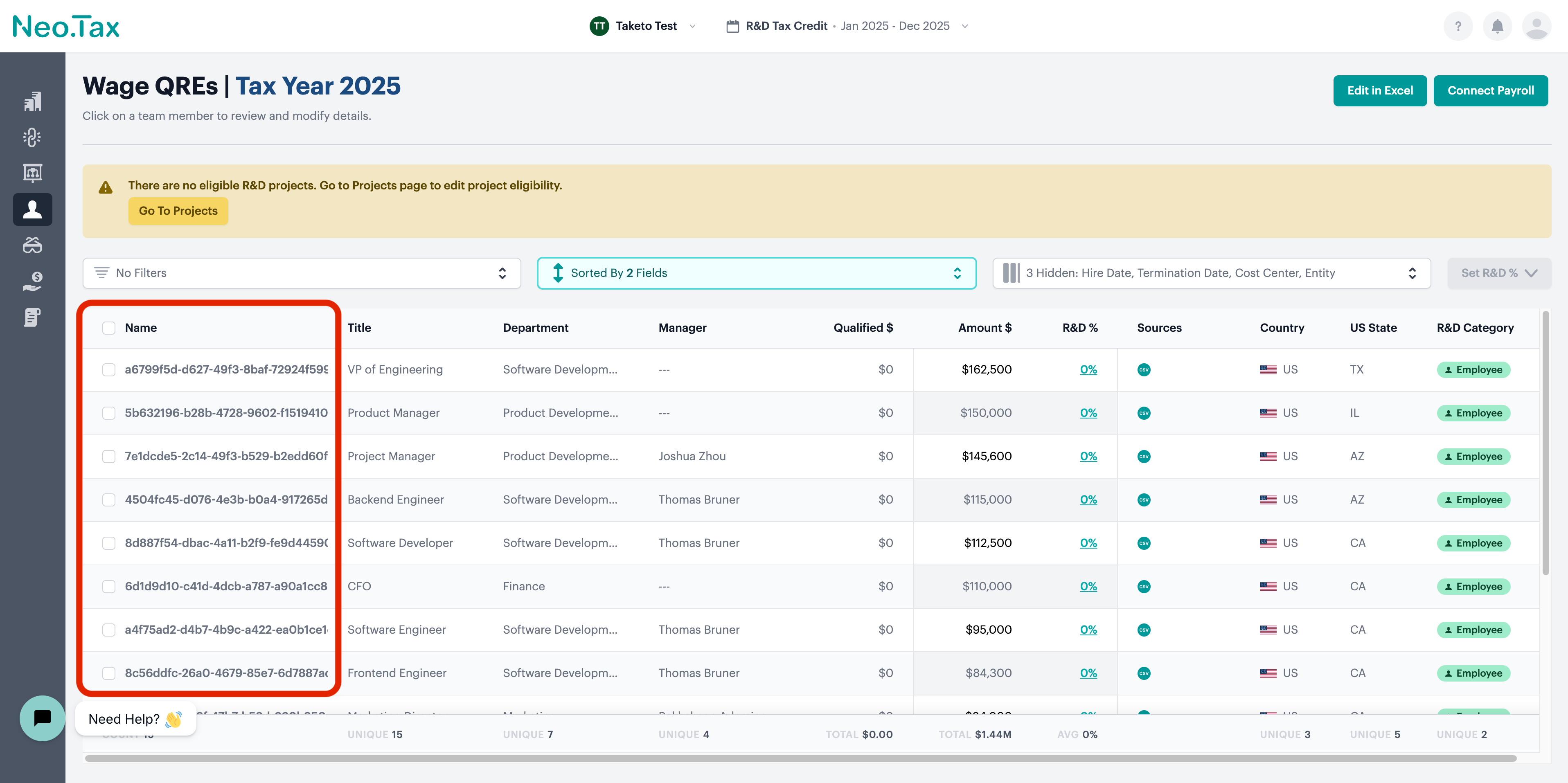
All members, including admin, will not see any names in payroll data or exports. Instead you’ll see a unique ID.
- Non-financial users, usually engineering managers, will still be able to see names
FAQs
Does complete anonymization apply to everyone or can I exclude some people?
At the moment, complete anonymization applies to every member. A workaround is to assign all users that you want to be a non-financial user so that their visibility is limited.
If employee names in payroll data are completely anonymized, can an engineering manager still allocate R&D% to employees without knowing who the employees are?
Yes, as long as the enginnering manager’s role is set to “non-financial” they can still see the names of the employees without the financial data (ex. wage).