
Set up OIDC login
Before beginning the setup process with Neo.Tax, ensure your Identity Provider is properly configured.
Step 1: Prepare Your OIDC Identity Provider (IdP)
Before beginning the setup process with Neo.Tax, ensure your Identity Provider is properly configured. You’ll need the following information from your provider:
-
Log in to your OIDC Identity Provider (e.g., Okta, Azure AD, OneLogin).
-
Create a new OIDC application for Neo.Tax in your IdP.
-
Note down the following information from your IdP:
- Client ID
- Issuer URL
- Client Secret
Step 2: Contact Neo.Tax Support
Reach out to Neo.Tax Support (support@neo.tax) to initiate the OIDC setup process:
-
Send an email with the subject line “[Company Name]: OIDC Setup Request”.
-
In your email, also include:
-
Your desired Provider ID (you’ll enter this into Neo.Tax whenever you log in)
- e.g.,
oidc.[company-name]
- e.g.,
-
Client ID from your IdP
-
Issuer URL from your IdP
-
Client Secret from your IdP
- This should be shared securely using https://us.onetimesecret.com/.
-
Step 3: Configure Neo.Tax as a Service Provider (SP)
Neo.Tax Support will configure the OIDC settings on our end and provide you with a Callback URL to complete the configuration of your IdP.
Step 4: Complete IdP Configuration
Return to your Identity Provider dashboard and finalize the OIDC app configuration by adding the Callback URL provided by Neo.Tax to your OIDC provider’s configuration.
Second, enable the email and profile OpenID scopes as part of your OIDC app—Neo.Tax will need both of those during user authentication.
Step 5: Test the OIDC Configuration
Once the setup is complete, it’s crucial to test that the OIDC login is behaving correctly:
-
Attempt to log in to Neo.Tax using your IdP’s OIDC application by going to https://app.neo.tax/enterprise-sso, selecting the
OIDCoption, and inputting your Provider ID.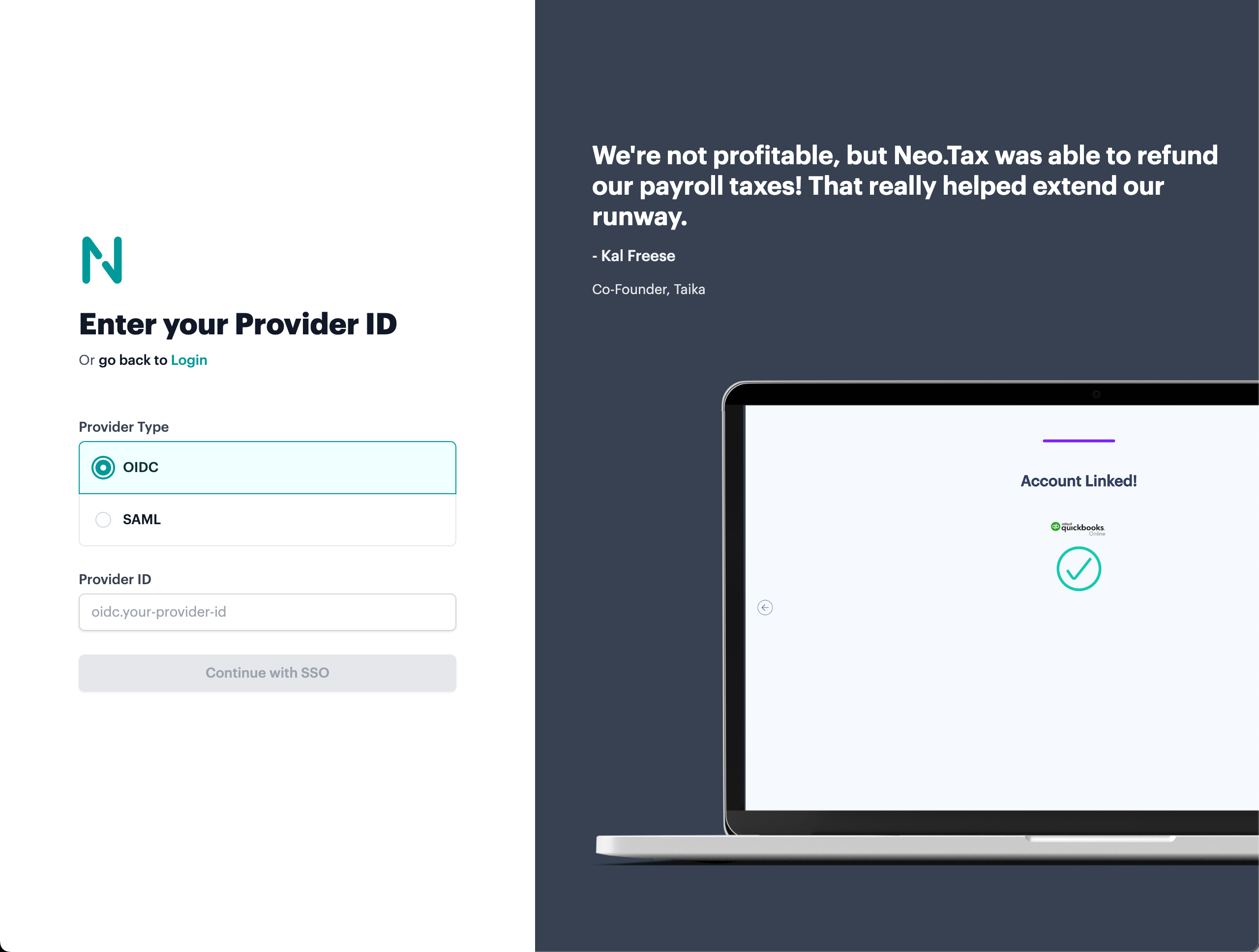
-
Verify that you can successfully authenticate and access your Neo.Tax account.
Step 6: Roll Out to Your Team
After successful testing, you can begin using SAML authentication for your organization:
- Inform your team about the new SAML login option.
- Provide instructions on how to access Neo.Tax through your Identity Provider.
- Inform us if you want to restrict your team to log in only through OIDC (i.e., prevent alternative login methods like email/password)
Coming soon: SCIM user provisioning!
For any issues or questions during the setup process, don’t hesitate to contact Neo.Tax Support. We’re here to ensure a smooth and secure authentication experience for your team.