
User roles and permissions
Neo.Tax now supports three different permission levels along with company access control (only applicable to accounting firms). Below is a list of permissions for the three levels, Admin, Member, and Non-Financial:
- Admin has full access to all companies and can invite other users
- Member has full access to select companies and cannot invite other users
- Non-Financial has limited access to select companies and cannot invite other users
Detailed Role Differences
Firms/Multiple Companies
| Admin | Member | Non-Financial | |
| Invite other members | X | ||
| View member tab | X | ||
| View all companies | X | ||
| View financial data | X | X | |
| Credit calculation page | X | X | |
| Tax document page | X | X | |
| Connect payroll & accounting | X | X | |
| Connect ticketing | X | X | X |
| View select companies (determined by admin) | X | X | X |
| Change allocations | X | X | X |
| Update company info | X | X | X |
| Export data | X | X | X |
Single Companies:
| Admin | Member | Non-Financial | |
| Invite other members | X | ||
| View member tab | X | ||
| View financial data | X | X | |
| Credit calculation page | X | X | |
| Tax document page | X | X | |
| Connect payroll & accounting | X | X | |
| Connect ticketing | X | X | X |
| View company page | X | X | X |
| Change allocations | X | X | X |
| Update company info | X | X | X |
| Export data | X | X | X |
Steps to Invite a New Member:
-
Members > Invite New Member
-
Select permission level (Admin, Member, Non-Financial)
-
Select access to company/companies
- Admin selects all companies and greys out company selection
- Must select one or more companies to invite
-
Invite new member
-
Invite email sent to user
-
User signs up via invited email address
Steps to Edit Permissions/Company Access:
-
Members > View/Edit
-
Opens edit modal to change permissions level and company access
- Permissions cannot be edited white the user is still in the “invited” status
FAQs:
Company selection in invite modal:
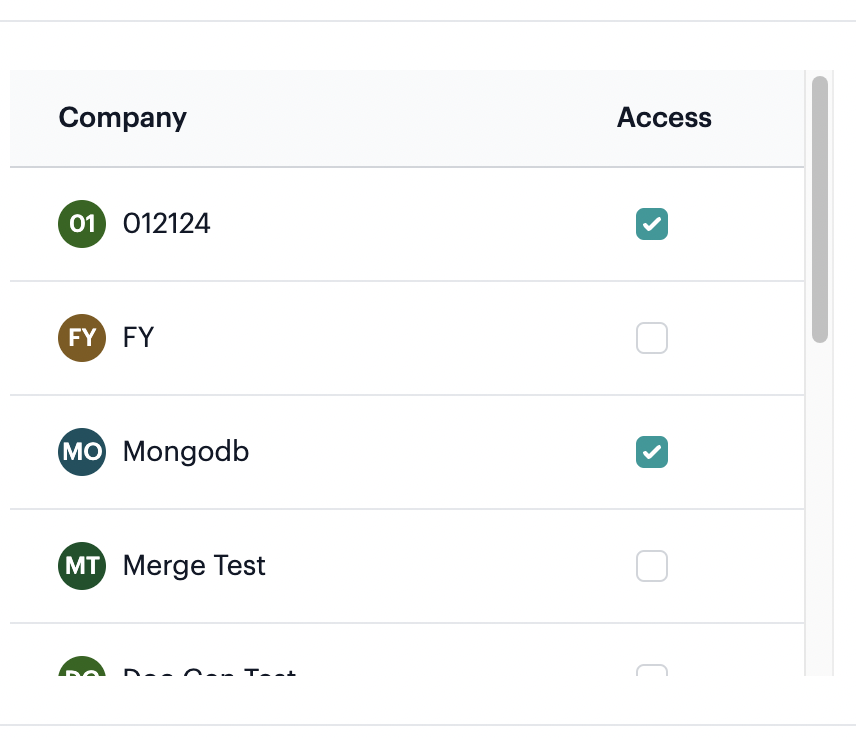
- Select one, multiple, or all companies
Company access display:
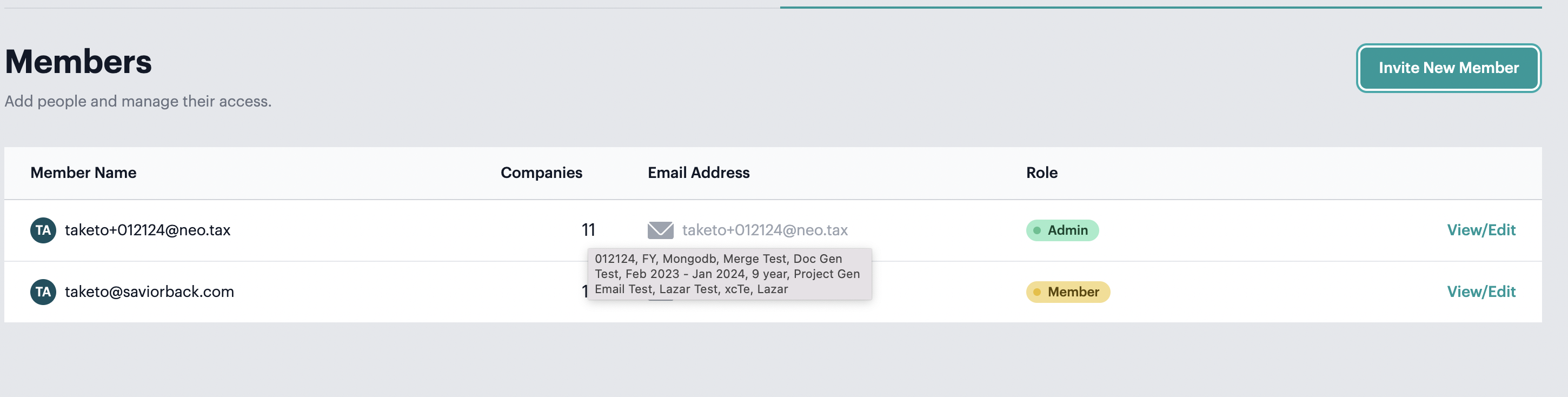
- Can hover over number to display list of companies the user has access to
Editing role/company access:
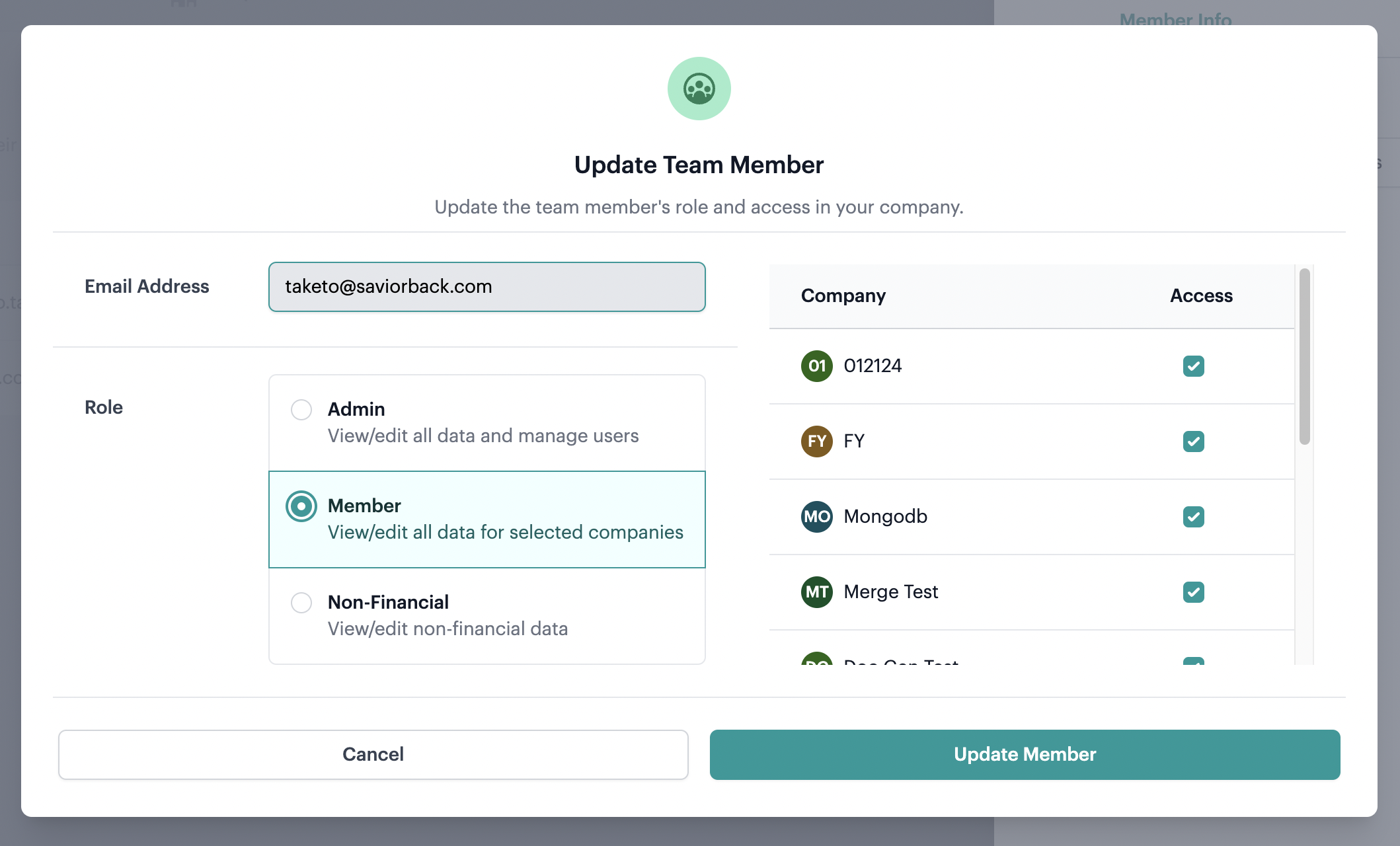
- Update team member modal
Viewing members page:
- Only the Admin can look at members page. Member and Non-financial users cannot view members page because from an accounting firm perspective, a client should not be able to see all members within the accounting firm